Create your account
Register through the official website and keep your login details private.
Create account →
Loading the latest winner…
Loading the latest winner…
Loading the latest winner…
Your route from the first quest to the final raid. Learn the controls, discover the hunting grounds and enter the realm prepared.
Custom hunts, a connected quest journey, raid bosses and competitive events, presented through the same frost interface throughout the client.
Discover the refreshed Lorencia environment, the expanded armor and weapon wardrobe, and the complete title gallery. Arcana is being prepared as a new destination; preview its golden halls in the realm film and follow in-game announcements for public access.
Register through the official website and keep your login details private.
Create account →Download from the official page. Let the launcher finish its update before pressing Play.
Open downloads →Meet Quest Master in Lorencia (144, 140). Follow the quest chain into new zones.
Quest guide →Daily rewards, banks, events and character progress, one key away.
✧Two linked stats per hunting region, with clear current / maximum values.
♜Custom invasions and ten dedicated raid boss cooldowns.
⚔Team Match, Solo Deathmatch, LMS and Bounty Hunters.
The three-line command hub near the upper-right corner opens the shortcut bar. Choose a function by name. Each panel has its own close control; press its key again or Esc to close it.
Select a key for its purpose, controls and steps. These are the installed client’s bindings.
 ×
×A daily reason to return.
The server shows reward amounts and claim eligibility in the panel.
×Plan the next hunt before you move.
Some ordinary monsters share invasion classes. Alive counters are available only for supported rows.
×Keep materials together. Withdraw what you need.
Close trade and shop windows before a transfer. The server validates every request.
×Compete for temporary TOP 3 Title rewards.
Ranking bonuses are not automatic: only the three Titles selected in H grant stats. A lost TOP position removes its Title eligibility and clears its bonus slot.
×Store Zen outside your carried balance.
Withdrawals must fit below the character’s carried Zen limit.
×Choose a currency and inspect the pool.
The server supplies the current cost and pool. A spin spends currency and does not guarantee a particular prize.
×Tune the supported client FPS setting.
F8 controls FPS. Administrative commands use a separate staff shortcut. Availability is checked by the server.
×One target. Clear progress. Your next step.
F9 is the installed tracker binding. Earlier S, X or F10 instructions may refer to older client revisions.
×A restricted testing interface.
This explains the current binding; it is not a public event entry method.
×Find a clear view and keep your distance.
The panel reports if the camera module is unavailable or a map rejects a distance.
×Grow stronger by hunting the right zones.
Core Power depends on Active points and decays after inactivity. Hunt Stat levels are a separate progression track.
×Three bonus Titles. One independent signature.
Normal players see their owned and currently earned Titles. Administrators can preview the full catalogue. TOP Titles expire when the character or account loses the qualifying place.
Player commands from the server mapping and handlers. Replace text inside <angle brackets> with your value. Start, spawn, reload and item-creation controls are administrative tools.
/post <message>Send a global post.
Minimum level 6; 3-second delay./addstr <points> · /addagi <points>Allocate free points to Strength or Agility.
Use available level-up points./addvit <points> · /addene <points>Allocate free points to Vitality or Energy.
Use available level-up points./addcmd <points>Allocate free points to Command.
Command is relevant to the Dark Lord line./decstr · /decagi · /decvit · /decene · /deccmdReset one stat to its class default and refund the excess to free points.
2-second cooldown. These reset the entire selected stat; they do not take an amount./evoRequest class evolution.
Enabled in the current server; evolution prerequisites still apply./pkclearRequest PK status clearing.
Enabled for the configured account tiers./ware <number>Select an extra warehouse.
Configured warehouse count by account tier: 5 / 10 / 10 / 10./bank statusShow Jewel Bank balances.
F4 is the visual alternative./bank depositDeposit supported jewels from the inventory.
Close trade and shop windows first./bank withdraw <jewel> <quantity>Withdraw banked jewels. Example: /bank withdraw bless 50.
A numeric jewel ID is accepted. Withdrawing turns auto-deposit off./bank auto on · /bank auto offToggle automatic jewel deposits.
Check your inventory and bank after changing it./zenbankShow stored Zen balance.
Also: /zenbank bal or /zenbank balance./zenbank deposit <amount|all>Deposit an amount or all carried Zen.
Example: /zenbank deposit 1000000./zenbank withdraw <amount|all>Withdraw stored Zen.
The carried Zen limit still applies./quest · /kqShow the current quest or begin the chain.
Quest Master is also available in Lorencia at 144, 140./questclaimClaim a completed stage if it still needs claiming.
Normal completion already claims and advances automatically./huntpoints · /huntpoint · /hpShow Active points and Core Power bonuses.
Open J for the visual panel./huntstat · /huntstatsShow Hunt Stat levels and the current map pair.
Levels rise automatically from eligible kills./huntstat <stat> <levels>Spend available Inactive points on stat levels.
1 Inactive point = 1 level, up to level 100. Valid stat keys are in the Glory Hunt tab./topPrint the top 50 by normal level + Master Level.
5-second cooldown; F5 is the visual scoreboard./iconShow the title command list.
H is the visual title picker./icon 0Remove the selected command title.
Special title and event rules still apply./teamdm joinJoin Team Match during registration.
The on-screen event button is an alternative./teamdm statusShow Team Match state.
Start and stop controls are staff-only./pvpRegister for Solo Deathmatch; routes to LMS while its registration is open.
Use during an announced registration window./lmsRegister for Last Man Standing.
One life per round./joinbountyRegister for Bounty Hunters.
Registration must be open./icewind regRegister a guild for Ice Wind.
Guild master only, channel 1, Saturday 18:30–19:00 server time. Fee: 1,500 WCoinC./icewind statusShow Ice Wind state.
Administrative controls require permission./store wcOpen a WCoinC personal store.
Prepare items and prices first; activate in a safe zone./store ruudOpen a Ruud personal store.
Prepare items and prices first; activate in a safe zone./store gpOpen a Goblin Point personal store.
GP means Goblin Point./store bless · /store soul · /store chaos · /store wpChoose another supported native personal-store currency.
Check the currency banner before confirming any purchase./offstoreContinue an open personal store offline.
Open the store first; activate in a safe zone./offattackContinue an enabled Helper / automatic attack session offline.
Configured offline limit: 720 minutes (12 hours). Configure Helper and begin attacking first.No commands match your search.
The native commands are /offstore and /offattack. The installed mapping does not define /offtrade, /offlevel, /storewc, /storeruud or /storegp aliases. Use /store wc, /store ruud or /store gp with a space.
An offline session leaves the character on the server while the client disconnects. Returning to the account ends the old session; follow the server’s reconnect notice before retrying.
/reset, /mreset, /ereset, /debuff, /Buy and /Sell are disabled in the current command settings.
Native clearing commands exist: /clearinv, /clearextinv, /clearinvmuun, /cleareventinv. They delete items from their target inventory. Move anything you want to keep before using them.
Begin with Lorencia’s monsters, advance through hunts and invasions, then continue through new upper-map hunts and custom raids to Arcana Library. The chain follows quest ID order; each reward belongs to its specific stage.
The server checks the defeated monster’s class against your current quest. Similar names can refer to a normal monster and an invasion version. Match the target and location in your tracker.
Progress is saved per character. The final qualifying kill normally grants the reward and advances automatically. /questclaim is available if a completed stage still needs claiming.
The shared PvE Expedition groups native stages into35 objectives across5 chapters:30 objectives cover Ferea and later regions, ending in active Arcana Library117. Old stages1–116 retain their IDs and rewards;52 new map-bound stages add upper-map hunts, custom invasions and all10 raids. PvP events are excluded from the expedition. F9 and /quest remain the native tracker.
EXPLORE THE PVE EXPEDITION →| Stage | Target | Required | Zone / type | Reward |
|---|---|---|---|---|
| 001 | Spider | 10 | Lorencia | 10 WCoinC + 1 Bless + 1 Soul |
| 002 | Budge Dragon | 10 | Lorencia | 13 WCoinC + 1 Bless + 1 Soul |
| 003 | Bull Fighter | 20 | Lorencia | 15 WCoinC + 1 Bless + 1 Soul |
| 004 | Hound | 35 | Lorencia | 18 WCoinC + 1 Bless + 1 Soul |
| 005 | Elite Bull Fighter | 40 | Lorencia | 20 WCoinC + 1 Bless + 1 Soul |
| 006 | Worm | 40 | Devias | 23 WCoinC + 1 Bless + 1 Soul |
| 007 | Ice Monster | 50 | Devias | 25 WCoinC + 1 Bless + 1 Soul |
| 008 | Hommerd | 40 | Devias | 28 WCoinC + 1 Bless + 1 Soul |
| 009 | Assassin | 70 | Devias | 30 WCoinC + 1 Bless + 1 Soul |
| 010 | Ice Queen | 10 | Devias / Invasion | 75 WCoinC + 5 Bless + 5 Soul |
| 011 | Shadow | 75 | Losttower | 50 WCoinC |
| 012 | Death Knight | 100 | Losttower | 58 WCoinC |
| 013 | Lizard King | 100 | Atlans | 67 WCoinC |
| 014 | Iron Wheel | 100 | Tarkan | 75 WCoinC |
| 015 | Queen Rainier | 100 | Icarus | 83 WCoinC |
| 016 | Zaikan | 10 | Invasion | 300 WCoinC + 10 Bless + 10 Soul |
| 017 | Phoenix of Darkness | 50 | Icarus | 92 WCoinC |
| 018 | Metal Balrog | 20 | Invasion | 400 WCoinC + 10 Bless + 10 Soul |
| 019 | Tantalos | 150 | Tarkan | 100 WCoinC |
| 020 | Gorgon | 25 | Invasion | 500 WCoinC + 10 Bless + 10 Soul |
| 021 | Splinter Wolf | 350 | Kanturu Ruins 1 | 100 WCoinC + 3 Bless + 3 Soul |
| 022 | Satyros | 350 | Kanturu Ruins 1 | 100 WCoinC + 3 Bless + 3 Soul |
| 023 | Blade Hunter | 350 | Kanturu Ruins 1 | 100 WCoinC + 3 Bless + 3 Soul |
| 024 | Gigantis | 350 | Kanturu Ruins 1 | 100 WCoinC + 3 Bless + 3 Soul |
| 025 | Red Dragon | 10 | Invasion | 350 WCoinC |
| 026 | Twin Tale | 500 | Kanturu Ruins 2 | 125 WCoinC |
| 027 | Venomous Chain Scorpion | 700 | Karutan 1 | 125 WCoinC + 100 GP |
| 028 | Gollock | 700 | Karutan 1/2 | 125 WCoinC + 100 GP |
| 029 | Condra | 700 | Karutan 2 | 125 WCoinC + 100 GP |
| 030 | Debenter Bosses | 5 | Invasion (any 5) | 500 WCoinC + 10 Bless + 10 Soul + 10 Harmony |
| 031 | Devilfairy | 1,000 | Acheron 1 | 150 WCoinC |
| 032 | Elemental Beast | 1,000 | Acheron 1 | 150 WCoinC |
| 033 | Ubaid Devilfairy | 1,000 | Acheron 1 | 150 WCoinC |
| 034 | Golden Tantalos | 10 | Invasion | 350 WCoinC |
| 035 | Ferea Archer | 1,500 | Ferea | 175 WCoinC |
| 036 | Ferea Knight | 1,500 | Ferea | 175 WCoinC |
| 037 | Ferea Fighter | 1,500 | Ferea | 175 WCoinC |
| 038 | Golden Mid Bosses | 20 | Invasion (any 20) | 600 WCoinC |
| 039 | Vasuki | 2,500 | Nixies Lake | 200 WCoinC |
| 040 | Bass | 2,500 | Nixies Lake | 200 WCoinC |
| 041 | Paraca | 2,500 | Nixies Lake | 200 WCoinC |
| 042 | Old Crimson Harpy | 2,500 | Old Kethotum | 250 WCoinC |
| 043 | Old Crimson Lycan | 2,500 | Old Kethotum | 250 WCoinC |
| 044 | Old Crimson Minos | 2,500 | Old Kethotum | 250 WCoinC |
| 045 | Lorencia Five Bosses | 5 | Invasion (any 5) | 750 WCoinC |
| 046 | DD Skeleton Archer | 2,500 | Deep Dungeon | 250 WCoinC |
| 047 | DD Ghost | 2,500 | Deep Dungeon | 250 WCoinC |
| 048 | DD Hell Spider | 2,500 | Deep Dungeon | 250 WCoinC |
| 049 | DD Chief Skeleton | 2,500 | Deep Dungeon | 250 WCoinC |
| 050 | DD Poison Bull Fighter | 2,500 | Deep Dungeon | 250 WCoinC |
| 051 | Swamp Wizard | 2,500 | Swamp of Darkness | 275 WCoinC |
| 052 | Mutanlite | 2,500 | Swamp of Darkness | 275 WCoinC |
| 053 | Wooden Beast | 2,500 | Swamp of Darkness | 275 WCoinC |
| 054 | Swamp Ent | 2,500 | Swamp of Darkness | 275 WCoinC |
| 055 | Core Magriffy | 1 | World Boss (any 1) | 1000 WCoinC |
| 056 | Dead Digger | 2,500 | Kubera Mine | 300 WCoinC |
| 057 | Dead Shoveler | 2,500 | Kubera Mine | 300 WCoinC |
| 058 | Dead Porter | 2,500 | Kubera Mine | 300 WCoinC |
| 059 | Lord Ferea | 1 | World Boss | 1000 WCoinC |
| 060 | Bahamut of Abyss | 2,500 | Atlans Abyss 1 | 350 WCoinC |
| 061 | Vepar of Abyss | 2,500 | Atlans Abyss 1 | 350 WCoinC |
| 062 | Large Bahamut of Abyss | 2,500 | Atlans Abyss 2 | 350 WCoinC |
| 063 | Silver Valkyrie of Abyss | 2,500 | Atlans Abyss 2 | 350 WCoinC |
| 064 | Great Bahamut of Abyss | 2,500 | Atlans Abyss 3 | 350 WCoinC |
| 065 | Atlans Invasion | 10 | Invasion | 600 WCoinC |
| 066 | Scorched Wizard | 2,500 | Scorched Canyon | 350 WCoinC |
| 067 | Scorched Warrior | 2,500 | Scorched Canyon | 350 WCoinC |
| 068 | Scorched Assassin | 2,500 | Scorched Canyon | 350 WCoinC |
| 069 | [Elite] Scorched Wizard | 2,500 | Scorched Canyon | 350 WCoinC |
| 070 | [Elite] Scorched Assassin | 2,500 | Scorched Canyon | 350 WCoinC |
| 071 | Scorched Invasion | 20 | Invasion | 500 WCoinC |
| 072 | CF Phantom Knight | 2,500 | Crimson Icarus | 350 WCoinC |
| 073 | CF Alphacrust | 2,500 | Crimson Icarus | 350 WCoinC |
| 074 | CF Queen Rainier | 2,500 | Crimson Icarus | 350 WCoinC |
| 075 | CF Megacrust | 2,500 | Crimson Icarus | 350 WCoinC |
| 076 | CF Alquamos | 2,500 | Crimson Icarus | 350 WCoinC |
| 077 | Crimson Invasion | 20 | Invasion | 600 WCoinC |
| 078 | Temple Gargoyle | 2,500 | Arenil Temple | 350 WCoinC |
| 079 | Temple Ogre | 2,500 | Arenil Temple | 350 WCoinC |
| 080 | [Elite] Temple Ogre | 2,500 | Arenil Temple | 350 WCoinC |
| 081 | [Elite] Temple Gargoyle | 2,500 | Arenil Temple | 350 WCoinC |
| 082 | Temple Gramlin | 2,500 | Arenil Temple | 350 WCoinC |
| 083 | Temple Invasion | 30 | Invasion | 700 WCoinC |
| 084 | Gray Death Tree | 2,500 | Ashen Aida | 350 WCoinC |
| 085 | Gray Witch Queen | 2,500 | Ashen Aida | 350 WCoinC |
| 086 | Gray Forest Orc | 2,500 | Ashen Aida | 350 WCoinC |
| 087 | Gray Death Rider | 2,500 | Ashen Aida | 350 WCoinC |
| 088 | [Elite] Gray Golem | 2,500 | Ashen Aida | 350 WCoinC |
| 089 | Crimson Harpy | 2,500 | Blaze Kethotum | 350 WCoinC |
| 090 | Crimson Lycan | 2,500 | Blaze Kethotum | 350 WCoinC |
| 091 | Crimson Minos | 2,500 | Blaze Kethotum | 350 WCoinC |
| 092 | [Elite] Crimson Minos | 2,500 | Blaze Kethotum | 350 WCoinC |
| 093 | [Elite] Crimson Harpy | 2,500 | Blaze Kethotum | 350 WCoinC |
| 094 | Underground Twin Tail | 2,500 | Kanturu Underground | 350 WCoinC |
| 095 | Underground Dread Fear | 2,500 | Kanturu Underground | 350 WCoinC |
| 096 | Underground Persona | 2,500 | Kanturu Underground | 350 WCoinC |
| 097 | [Elite] Underground Persona | 2,500 | Kanturu Underground | 350 WCoinC |
| 098 | [Elite] Underground Dread Fear | 2,500 | Kanturu Underground | 350 WCoinC |
| 099 | Magma Shaman | 2,500 | Ignis Volcano | 400 WCoinC |
| 100 | Magma Hook | 2,500 | Ignis Volcano | 400 WCoinC |
| 101 | Magma Gladiator | 2,500 | Ignis Volcano | 400 WCoinC |
| 102 | [Elite] Magma Gladiator | 2,500 | Ignis Volcano | 400 WCoinC |
| 103 | [Elite] Magma Shaman | 2,500 | Ignis Volcano | 400 WCoinC |
| 104 | Bloody Tantalos | 3,000 | Blood Tarkan | 400 WCoinC |
| 105 | Bloody Beam Knight | 3,000 | Blood Tarkan | 400 WCoinC |
| 106 | Bloody Wolf of Blood | 3,000 | Blood Tarkan | 400 WCoinC |
| 107 | Bloody Mutant | 3,000 | Blood Tarkan | 400 WCoinC |
| 108 | [Elite] Bloody Beam Knight | 3,000 | Blood Tarkan | 400 WCoinC |
| 109 | God of Darkness | 1 | World Boss (any 1) | 1250 WCoinC |
| 110 | [BOSS] D D Gorgon | 1 | Deep Dungeon | 1000 WCoinC |
| 111 | Storm Reaper | 3,000 | Tormenta Island | 350 WCoinC |
| 112 | Storm Guard | 3,000 | Tormenta Island | 350 WCoinC |
| 113 | Storm Fiend | 3,000 | Tormenta Island | 350 WCoinC |
| 114 | [Elite] Storm Reaper | 3,000 | Tormenta Island | 350 WCoinC |
| 115 | [Elite] Storm Guard | 3,000 | Tormenta Island | 350 WCoinC |
| 116 | Arena Dracarys | 1 | Boss Arena | 1400 WCoinC |
| 117 | Twisted Crypta | 1,500 | Distorted Karutan | 400 WCoinC |
| 118 | Twisted Gollock | 1,500 | Distorted Karutan | 400 WCoinC |
| 119 | Twisted Condra | 1,500 | Distorted Karutan | 400 WCoinC |
| 120 | [Elite] Twisted Crypta | 1,500 | Distorted Karutan | 400 WCoinC |
| 121 | [Elite] Twisted Gollock | 1,500 | Distorted Karutan | 400 WCoinC |
| 122 | [Elite] Twisted Condra | 1,500 | Distorted Karutan | 400 WCoinC |
| 123 | Devil Sorcerer | 2,000 | Kardamahal Underground Temple | 450 WCoinC |
| 124 | Devil Scythe | 2,000 | Kardamahal Underground Temple | 450 WCoinC |
| 125 | Devil Sword | 2,000 | Kardamahal Underground Temple | 450 WCoinC |
| 126 | Shadow Master of Doom | 2,000 | Swamp of Destruction | 450 WCoinC |
| 127 | Napin of Doom | 2,000 | Swamp of Destruction | 450 WCoinC |
| 128 | (Elite) Shadow Master of Doom | 2,000 | Swamp of Destruction | 450 WCoinC |
| 129 | (Elite) Sapi Queen of Doom | 2,000 | Swamp of Destruction | 450 WCoinC |
| 130 | (Elite) Napin of Doom | 2,000 | Swamp of Destruction | 450 WCoinC |
| 131 | Aquilas Warrior | 2,500 | Aquilas Temple | 500 WCoinC |
| 132 | [Elite] Aquilas Warrior | 2,500 | Aquilas Temple | 500 WCoinC |
| 133 | Aquilas Magician | 2,500 | Aquilas Temple | 500 WCoinC |
| 134 | [Elite] Aquilas Magician | 2,500 | Aquilas Temple | 500 WCoinC |
| 135 | Aquilas Gunner | 2,500 | Aquilas Temple | 500 WCoinC |
| 136 | [Elite] Aquilas Gunner | 2,500 | Aquilas Temple | 500 WCoinC |
| 137 | Giant Mammoth of Oblivion | 2,500 | Raklion of Oblivion | 500 WCoinC |
| 138 | Iron Knight of Oblivion | 2,500 | Raklion of Oblivion | 500 WCoinC |
| 139 | Giant of Oblivion | 2,500 | Raklion of Oblivion | 500 WCoinC |
| 140 | Specter Scythe | 3,000 | Arcana Library | 600 WCoinC |
| 141 | Specter Knight | 3,000 | Arcana Library | 600 WCoinC |
| 142 | Specter Sorcerer | 3,000 | Arcana Library | 600 WCoinC |
| 143 | Lizard King of Abyss | 5 | Atlans Abyss 3 | 600 WCoinC |
| 144 | Scorched Wizard | 5 | Scorched Canyon | 600 WCoinC |
| 145 | Crimson Flame's Phoenix of Darkness | 5 | Crimson Icarus | 600 WCoinC |
| 146 | Temple Gremlin | 5 | Arenil Temple | 600 WCoinC |
| 147 | Gray Bloody Witch Queen | 5 | Ashen Aida | 600 WCoinC |
| 148 | Crimson Minos | 5 | Blaze Kethhotum | 600 WCoinC |
| 149 | Underground Dreadfear | 5 | Kanturu Under Area | 600 WCoinC |
| 150 | Magma Sorcerer | 5 | Ignis Vulcanus | 600 WCoinC |
| 151 | Bloody Tantalos | 5 | Blood Tarkan | 600 WCoinC |
| 152 | Storm Fiend | 5 | Tormenta Island | 600 WCoinC |
| 153 | Twisted Condra | 5 | Distorted Karutan | 600 WCoinC |
| 154 | Devil Sword | 5 | Kardamahal Underground Temple | 600 WCoinC |
| 155 | Doom Shadow Knight | 5 | Swamp of Destruction | 600 WCoinC |
| 156 | Aquilas Warrior | 5 | Aquilas Temple | 600 WCoinC |
| 157 | Crimson Lycan | 5 | Blaze Kethhotum | 600 WCoinC |
| 158 | [Invasion] Iron Knight of Oblivion | 5 | Raklion of Oblivion | 600 WCoinC |
| 159 | [RAID BOSS] Dark Mammoth | 1 | Raklion of Oblivion | 1000 WCoinC |
| 160 | [RAID BOSS] Aquilas Narco | 1 | Aquilas Temple | 1000 WCoinC |
| 161 | [RAID BOSS] Doom Master | 1 | Swamp of Destruction | 1000 WCoinC |
| 162 | [RAID BOSS] Blue Centaur | 1 | Midgard | 1000 WCoinC |
| 163 | [RAID BOSS] Red Centaur | 1 | Kardamahal Underground Temple | 1000 WCoinC |
| 164 | [RAID BOSS] Epix Dragon | 1 | Midgard | 1000 WCoinC |
| 165 | [RAID BOSS] Epix Guardian | 1 | Distorted Karutan | 1000 WCoinC |
| 166 | [RAID BOSS] Monster 11 | 1 | Midgard | 1000 WCoinC |
| 167 | [RAID BOSS] Gallia Dragon | 1 | Arcana Library | 1000 WCoinC |
| 168 | [RAID BOSS] Monster 12 | 1 | Arcana Library | 1000 WCoinC |
No stages match your search.
WC means WCoinC. GP means Goblin Point. Bless, Soul and Harmony are jewel rewards. The in-game tracker takes priority if server rewards change.
Core Power grows from Active points. Twelve individual Hunt Stat levels build another layer of progression. Both show your current bonus against its maximum.
Eligible Core-map kills can add Active points. Core bonuses scale toward 25,000 Active. Your character must reach total level 50 to participate.
After one hour without a qualifying Core kill, Active decays by 250 per hour. Core maps run from Swamp of Darkness through Raklion of Oblivion, excluding Boss Battle Zone.
Eligible kills in linked regions can contribute to one of two stat tracks after a successful progress roll. Each stat caps at level 100.
The score for the next level rises by 50: level 1 needs 200, level 2 needs 250, and so on. The daily eligible monster limit is 20,000.
A kill can contribute to Core and a Hunt Stat on overlapping maps. A qualifying kill does not guarantee progress.
Deep Dungeon 1–5, Swamp of Darkness, Kubera Mine 1–5
Atlans Abyss 1–3, Scorched Canyon, Crimson Icarus
Arenil Temple, Ashen Aida, Blaze Kethhotum
Kanturu Under Area, Ignis Vulcanus
Blood Tarkan, Tormenta Island, Twister Karutan
Kardamahal Underground Temple, Swamp of Doom, Aquilas Temple, Raklion of Oblivion
elemdmgelemdefexcflatcritflatdmgredreflectmaxhpmaxsddmgdecignoretripledoubleIf Inactive points are available, /huntstat <stat> <levels> spends one per level up to level 100. Use a code shown above. Example: /huntstat excflat 1.
/huntpoints shows Core status. /huntstats shows stat levels. Bonuses remain subject to the game’s combat formulas.
On linked Hunt Stat maps, a PvP kill can transfer 10% of the victim’s stored score in each of that map pair’s two stats. The killer’s remaining daily transfer allowance limits the amount, using a randomized cap of 2,500–3,300. Losing score can also lower the victim’s stat level.
Golden hunts, classic encounters, Ruud targets and custom endgame threats. Search by monster or map. F3 shows the current channel’s next countdown and active state.
Server-time schedules describe configured spawn windows, not guaranteed alive status. Entries may share schedules or alternate spawn groups. Seasonal definitions may require a native event switch. Counts below are configured spawns, not live kill counters.
No invasions match your search.
The custom Phoenix definition spawns in Crimson Icarus. Some older F3 labels group it with Scorched Canyon; this catalogue follows the actual spawn map.
Ten dedicated custom raids use saved 12-hour cooldowns per world channel. Their next appearance depends on the last defeat, so check F3 rather than a fixed daily clock.
Raid cooldowns are saved separately per world channel and survive restarts. Use F3 for current availability. Item-bag drops are separate from these configured currency rewards. The fifty new boss models1060–1109 are not included in active quests until actual event/spawn assignments exist.
Kalima 7 (26, 76)
Configured base respawn 18h + up to 6h random offset. Check F3 for availability.Swamp of Calmness · Ground 3 (50, 103) · Swamp of Calmness · Ground 2 (127, 162) · Swamp of Calmness · Ground 4 (149, 10) · Swamp of Calmness · Ground 1 (178, 114)
Configured base respawn 18h + up to 6h random offset. Check F3 for availability.Kanturu encounter • follow native entry mechanics.
Native encounter-controlled access.Raklion / Hatchery encounter • follow native entry mechanics.
Native encounter-controlled access.Urk Mountain 1 (126, 108)
Configured base respawn 18h + up to 6h random offset. Check F3 for availability.Nars (179, 148)
Configured base respawn 18h + up to 6h random offset. Check F3 for availability.Ferea (24, 123)
Configured base respawn 18h + up to 6h random offset. Check F3 for availability.Nixies Lake (109, 106)
Configured base respawn 18h + up to 6h random offset. Check F3 for availability.Swamp of Darkness (241, 91)
Configured base respawn 18h + up to 6h random offset. Check F3 for availability.The Pumpkin Lord, Vhagar, Dracarys, Sapi Queen of Doom and Gore Beam Knight form the Lorencia boss invasion group. Find its schedule in Invasions.
Configured in Midgard with its own scheduled entry, separate from the Lorencia group and the ten 12-hour raids.
Custom arena rounds run on channel 1 in Midgard. Use the red registration button or the listed command while registration is open. Visiting the map does not register you.
Red versus Blue. First to 100 kills wins; otherwise the leading team wins when time ends.
Each winning participant still in the map: 500 WCoinC + 500 GP. Top killer: +300 WCoinC; next kill-count rank: +150 WCoinC.
Free-for-all scoring. Reach the 500-point goal or finish with the highest score.
Winner: 500 WCoinC.
One life. Death eliminates you and returns you to Lorencia. The final survivor wins; if time expires, the remaining-player kill ranking decides.
Winner: 500 WCoinC + 500 GP. Maximum 30 registrations.
Three marked targets get a 60-second head start before hunters see their marks. Follow the assigned target list.
Configured bounty reward: 500 WCoinC. The event resolves successful hunts and surviving targets.
The guild master registers on channel 1 with /icewind reg during Saturday 18:30–19:00 server time. Fee: 1,500 WCoinC.
Battle starts at 19:00 and lasts up to 30 minutes. Hold a throne position for 60 seconds; the capture HUD tracks progress. Ownership lasts one week.
Winning guild master: 3,000 WCoinC + 200,000 Ruud.
Each of the top two eligible killers: 2,000 WCoinC + 150,000 Ruud.
Winning-guild blessing: +2,500 flat damage, critical damage and excellent damage, plus +20% EXP. Reward recipients must satisfy presence and eligibility checks.
Arca Guild and Castle Siege also appear in the in-game PvP calendar. They use native guild-event rules and registration, separate from the four custom Midgard formats.
A round can be cancelled if too few players register. F3 and server announcements take priority for the current schedule and registration state.
Explore Beyond creations, classic Nostalgia sets and 52 Custom collections. Choose armor, weapon and supported offhand appearances while your actual equipment continues to determine combat attributes.
Ten weapon families cover 16 classes, including Frost and Sovereign. The wardrobe matches supported one-handed weapon appearances to the equipment in both hands: dual weapons retain a weapon pair, while a weapon-and-shield loadout retains its shield.
HIDE HELM reveals the character's natural head and remembers the choice for that character. Toggle it again to restore the selected helmet appearance.
These cosmetics apply to your client view. Equipment ownership, class requirements and combat attributes continue to follow the game.
Original keeps the quieter material finish. Shining uses the collection's matched color treatment, including supported weapons and shields. Choose the finish that suits your character.
Nostalgia organizes native game looks by class. Custom contains the imported full-set collection shown below. The wardrobe keeps your current section and page while applying a look.
EXPLORE THE 100 TITLES →






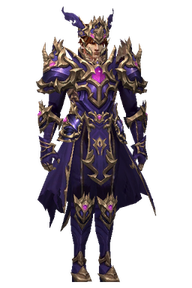
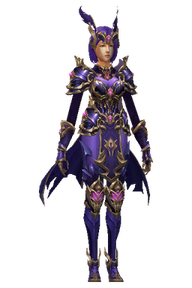

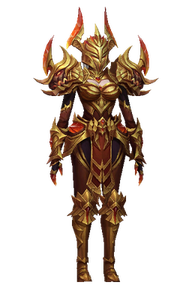




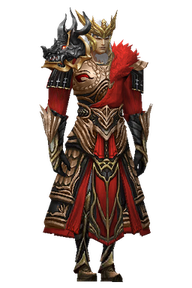


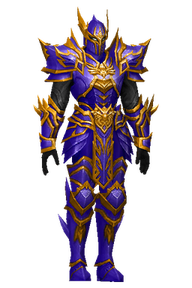












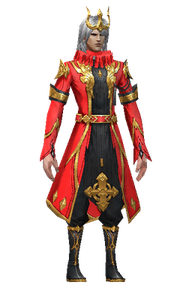
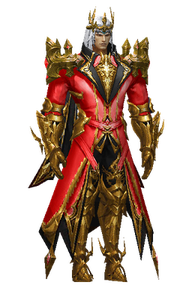
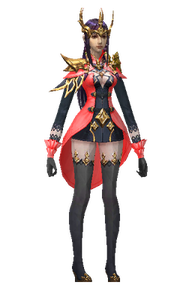


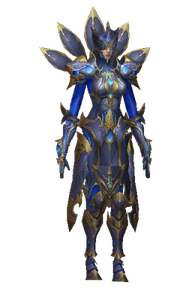
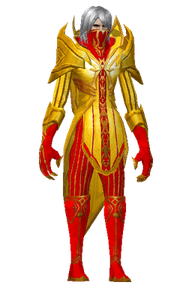


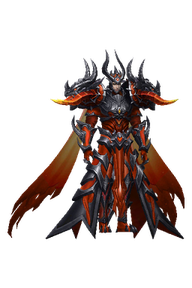
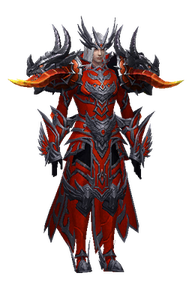

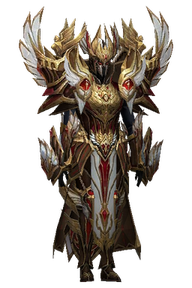
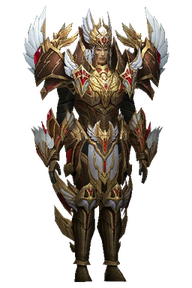





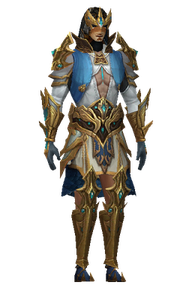
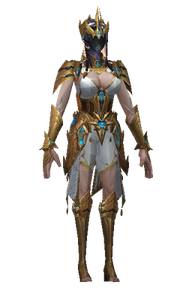





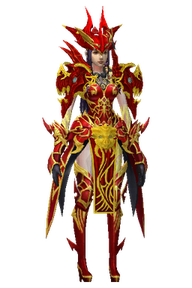
No skins match your filters.
Browse the real artwork used by the in-game H picker. Click a design for a larger preview, then open H in game to see animated effects, ownership, your three saved bonus slots and TITLE SHOP.
The collection includes combat, farm, boss and event themes with matched frost, fire, water, poison, lightning and other effects. The gallery shows the emblem artwork; the equipped title carries its animation in game.
Availability follows server ownership and eligibility. Browsing this gallery grants no title or combat bonus.
Choose up to three owned Shop Titles, earned F5 TOP Titles, or a mixture of both. Their bonuses add together. Each Title can occupy only one slot. Selection is saved per character and survives reconnects. Select Off while a bonus slot is active to clear that slot.
The DISPLAY choice controls the single emblem above your character. It does not add a fourth bonus or replace your three selected bonuses. Normal H lists only your owned and currently earned Titles; the full preview catalogue is restricted to administrators.
| Ranking | 1st: +5% damage / HP | 2nd: +3.5% damage / HP | 3rd: +2% damage / HP |
|---|---|---|---|
| FARMER | Lord of the Harvest | PARAGON FARMER | Master of the Grind |
| PVP KILLER | PvP King | Arena Sovereign | Crimson Duelist |
| BOSS KILLER | Slayer of the Ancients | Dreadbane | Boss Hunter |
| QUEST MASTER | Fatebound Adventurer | Chronicle Seeker | Pathwalker |
| EVENT WINNER | Grand Champion | Event Conqueror | Seasoned Challenger |
| INVASIONER | Vanquisher of the Rift | Invasion Breaker | Realm Sentinel |
| TOP DONATOR | Top Donator | Legend | Top Ranked |
| COIN COLLECTOR | LOOT SOVEREIGN | ZEN TYCOON | JEWEL HOARDER |
TOP eligibility is refreshed automatically and lasts only while the qualifying position is held. TOP DONATOR follows the F5 account WCoin C balance ranking, so its reward is available to that account's characters; the other seven tabs award individual characters. Spending WCoin can change this standing. Empty scoreboards do not award zero-score places.
Titles are character-bound unlocks. Buying a Title does not equip it automatically. Insufficient funds and already-owned Titles do not charge WCoin.
Incoming damage reduction percentages apply to PvP and PvE. Flat reduction values, such as 7,000 or 5,000, are separate fixed protection bonuses. Double and triple damage bonuses add percentage points to their corresponding chance, subject to the game's normal caps.
Example: three first-place ranking Titles provide +15% damage and +15% HP. Three premium Shop Titles provide +36% damage, +15% HP, 15% incoming damage reduction and 15,000 flat reduction. Both examples use all three bonus slots.
| Title | Bonuses when assigned to a slot | Price |
|---|---|---|
| ILLUSION KEEPER | +10% damage · +10% HP | 2,500 WCoin C |
| FEREA DOMINATOR | +10% damage · +10% HP | 2,500 WCoin C |
| CHAOS PROSPECTOR | +10% damage · +10% HP | 2,500 WCoin C |
| ICEWIND SOVEREIGN | +10% damage · +10% HP | 2,500 WCoin C |
| Elite | +10% damage · +10% HP | 2,500 WCoin C |
| BOUNTY EXECUTIONER | +10% damage · 3% incoming damage reduction | 2,500 WCoin C |
| Top Hunter | +10% damage · 3% incoming damage reduction | 2,500 WCoin C |
| Relic Reaper | +10% damage · 3% incoming damage reduction | 2,500 WCoin C |
| Hunter | +10% damage · 3% incoming damage reduction | 2,500 WCoin C |
| SOUL HARVESTER | +10% damage · 3% incoming damage reduction | 2,500 WCoin C |
| KUNDUN SLAYER | +10% damage · +7,000 flat damage reduction | 2,500 WCoin C |
| Explorer | +10% damage · +7,000 flat damage reduction | 2,500 WCoin C |
| Knight | +10% damage · +7,000 flat damage reduction | 2,500 WCoin C |
| Adventurer | +10% damage · +7,000 flat damage reduction | 2,500 WCoin C |
| DUELIST PRIME | +10% damage · +7,000 flat damage reduction | 2,500 WCoin C |
| BLOOD CASTLE CHAMPION | +10% damage · +2% triple damage chance | 2,500 WCoin C |
| SILVESTER VANQUISHER | +10% damage · +2% triple damage chance | 2,500 WCoin C |
| DARKNESS NEMESIS | +10% damage · +2% triple damage chance | 2,500 WCoin C |
| HELLBORN WARLORD | +10% damage · +2% triple damage chance | 2,500 WCoin C |
| CHAOS CASTLE VICTOR | +10% damage · +2% triple damage chance | 2,500 WCoin C |
| DEVIL SQUARE REAPER | +10% damage · +4% double damage chance | 2,500 WCoin C |
| Champion | +10% damage · +4% double damage chance | 2,500 WCoin C |
| SIEGE OVERLORD | +10% damage · +4% double damage chance | 2,500 WCoin C |
| NIX CONQUEROR | +10% damage · +4% double damage chance | 2,500 WCoin C |
| ZAIKAN REAPER | +10% damage · +4% double damage chance | 2,500 WCoin C |
| DIABLO | +12% damage · +5% HP · 5% incoming damage reduction · +5,000 flat damage reduction | 5,000 WCoin C |
| TERROR | +12% damage · +5% HP · 5% incoming damage reduction · +5,000 flat damage reduction | 5,000 WCoin C |
| Immortal | +12% damage · +5% HP · 5% incoming damage reduction · +5,000 flat damage reduction | 5,000 WCoin C |
| Godlike | +12% damage · +5% HP · 5% incoming damage reduction · +5,000 flat damage reduction | 5,000 WCoin C |
| NEPHALEM ASCENDANT | +12% damage · +5% HP · 5% incoming damage reduction · +5,000 flat damage reduction | 5,000 WCoin C |
No titles match your search.
The supported client targets up to 52 FPS and includes an adjustable camera. Actual FPS depends on the computer, scene and active client module.
Choose Near, Normal, Far or Wide, or set the slider distance. The lock retains your distance and the companion attempts to restore it after supported mount changes.
Wait for Active or LOCKED confirmation. If Camera is not ready appears, start through the supported client and let the companion initialize.
View the camera interface →The target is up to 52 FPS. A higher cap cannot guarantee that hardware renders every scene at that rate. Busy fights and populated zones can lower the measured FPS.
F8 FPS editing is restricted to authorized staff. The experimental Anti-Lag module is currently disabled.
Donation Quests track verified lifetime EUR purchases for the selected game account. WCoin packages and VIP purchases both count toward milestones from €10 through €500.
Open Account → Donation Quests to browse every reward, including WCoin, Goblin Points, Ruud and item rewards. Range tabs keep the collection easy to explore.
Some amounts unlock multiple separate rewards. Each card represents its own one-time milestone; rewards at the same amount are not replacements for one another.
OPEN DONATION QUESTS →A pending request has not yet reached the game. Item delivery is being prepared; a displayed item name does not mean it has already been granted.
Returning from checkout does not confirm a payment. Progress changes after the provider confirms the completed payment and the server records it.
Each game account has its own donation progress, wallet and reward receipts. Accounts linked under the same website login do not automatically share these balances. Check the selected game account before purchasing or claiming.
Repeated claim attempts refer to the same reward request. Refunded or disputed payments may pause further claims while reviewed.
Your primary game login is also your website login. Manage up to five linked game accounts while keeping each account's game identity and progress separate.
Select how many game accounts to register, enter distinct login names, then choose a shared initial password and email. Game login 1 becomes the primary website account.
Each email supports at most five game accounts in total, including accounts registered earlier. Matching an email does not automatically link existing accounts.
CREATE YOUR ACCOUNTS →Sign in with the primary login, open the account switcher in the header and select a linked game account. Purchases, Donation Quests and Reward Vault follow that selected account.
Game Accounts also lets the primary owner add a new login with its own password while capacity remains. Confirm the primary account's current password to add it. Signing in directly with a child login gives access only to that child account.
MANAGE GAME ACCOUNTS →€5 → 4,000 WCoin
€10 → 10,000 WCoin
€25 → 30,000 WCoin
€50 → 65,500 WCoin
Prices and availability are shown before checkout. Only completed, verified payments count toward donation progress.
VIP is offered in 7-day (€10) and 30-day (€25) packages. Confirm the selected game account before checkout.
VIP days extend the existing active expiry rather than replacing remaining time. The server applies paid WCoin and VIP grants while the account is offline. Follow purchase delivery status in your account dashboard.
Checkout is available when payment providers are enabled. VIP and currency are not awarded for an unconfirmed browser return.
Open Account Security to change the currently selected game login's password. Enter that login's own current password and confirm a new password. The game account must be offline, including offline Helper and store sessions.
A successful password change expires affected website sessions. Sign in again with the login you normally use for the website. Each linked game account keeps its own password.
Account Activity records successful website sign-ins, account switches and account actions. Character Details shows the selected account's own saved character stats. Email changes and password recovery are not open until verified email delivery is configured.
OPEN ACCOUNT SECURITY →Choose a character from the selected game account and explore its progression. Level Pass reservations are separate from native delivery; Battle Pass, Life Quest and Treasure Vault are previews until activated. Creator profile signup is open; financial benefits remain inactive.
Total level means the character's base level plus Master Level. The catalogue has a milestone every 25 levels, beginning at 100 and ending at 1,850.
A reservation is permanent and keeps its reward snapshot. Repeating the same request does not create another reward. Premium access requires a verified character entitlement.
OPEN LEVEL PASS →The five tiers now use35 server-specific PvE objectives;30 cover Ferea and later maps. Open PvE Expedition for native quest progress. Each tier groups its tasks before the next tier step.
Native quest tracking is connected in PvE Expedition. Separate Battle Pass bonus payouts are not active. Empty or unconfirmed reward details are not promises of currency or items.
2% shop discount · five Blessed Archangel +15 weapons. Preview only; these bonuses are not active.
4% shop discount · five Blessed Archangel +15 weapons. Preview only; these bonuses are not active.
6% shop discount · five Blessed Archangel +15 weapons. Preview only; these bonuses are not active.
8% shop discount · five Blessed Archangel +15 weapons. Preview only; these bonuses are not active.
The preview pool includes Ruud boxes, jewel bundles, wing relics and upgrade materials. Each of the 15 rewards has equal odds: 1/15, or approximately 6.67%. Opening, key spending and delivery are not active yet.
Preview contents do not mean a roll has taken place or that a reward has been earned.
VIEW TREASURE VAULT →Sign in with your primary website login, create a public profile and activate your permanent personal code. Add Twitch or YouTube links and a short introduction.
The selected game account is pinned as your reward recipient at signup. Checkout attribution, commissions, payouts and native reward delivery are not active yet; the dashboard shows real activity only.
VIEW CREATOR PROGRAMME →